Tutorial Links
Other Helpful Information
Welcome to the Taggers Handbook
What is Tagging?
Tagging is the art of using pre-drawn images and arranging them in such a way to create a new image. There are many artists that still do this as a hobby, but the great thing is, you don't have to be an artist to be a tagger. A little imagination is all you really need. What you may lack initially will grow as you learn and practice that which you have learned. Whether you have dabbled with graphics software or are a complete beginner, learning is not rocket science and there are many ways to get help as you learn how to tag.
There are many blogs/sites on the Interweb that teach how to make a particular tag. However, I don't really believe that they are the best way to learn software. Far better to learn principles because they are the same no matter which application you find yourself in. Once you have grasped how layers work, they are the same in all packages. The application of their use may change a little, but the principles are the same. So rather than needing to learn say, layers from scratch, you just have to learn how they are used in different applications. The same goes for effects and adjustments to your image.
Whilst I will have a few tutorials that are start to finish, for the most part I'll show you how to do a range of things, then give you a tag that requires the processes you have learnt to create something close to it.
Here you will find tutorials to help you navigate the features of some great software to give you a grounding in using the programs for tagging. For years, Paint Shop Pro (PSP) has been the software of choice to create some wonderful tags and animations. Since Corel bought the original publishers, JASC, out, they have managed to spoil a lot of the beauty of the original product. It is now quite slow and clunky and has changed it's focus very much to photographic uses. Hence, there are many features that, as taggers, you are not going to use. If you already own a copy of Paint Shop Pro after and including version 9, then there is no real need to purchase another more recent version. It hasn't added anything for the tagger. Of course, you can buy a copy if you want to, but there is now a huge range of software applications out there, many of which are Free, and others that are better that PSP in many areas.
Because PSP is still very much the software of choice for taggers, more because of familiarity than anything else, my initial tutorials will focus on using that. You can download a trial of the current version so you can follow along. If you take a back up of your system before you install it, you can even extend the trial period for another 30 days by reloading the back up and re-installing.
Whilst my focus will initially be PSP tutorials, I'll still do some tutorials in GIMP so that you can have a look at that. Once I have sufficient PSP tutorials I'll focus on more GIMP tutorials and then introduce some other software applications.
GIMP is free and open source software (FOSS) which allows you to use it free of
change and even make changes to it if you have the requisite programming skills!
It is excellent software and ideal for tagging as well as photo editing and drawing.
If you are new to tagging, or graphics software in general, you may well ask yourself "What is tagging?"
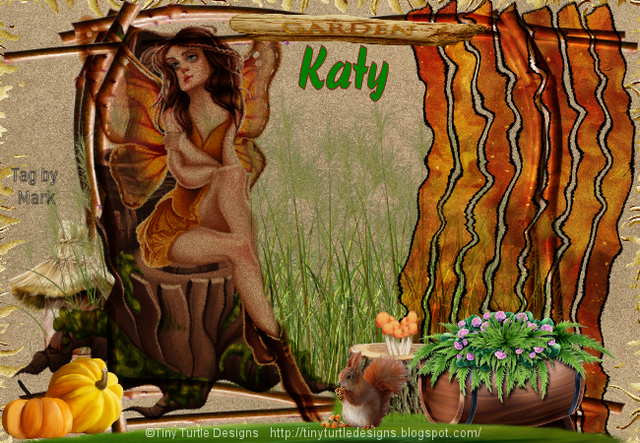
Affinty 3 is the new kid on the block. It has been available as seperate Designer, Photo and Publisher varieties for several years. However, the new version has all three programs lumped into one program with studio options for Vector, Pixel and Layout. Whilst this was partially the way the older versions worked, it wasn't totall. One could do spome pixel work in Designer and some vector work in Photo. But the options for any DTP work was firly limited to having to be in Publisher, which did have options to switch to both Vector and Pixel personas in order to do some basic editing. However, Version 3, nor called simply named Affintiy, is a real game changer because, it is FREE. So whether you are using other software, there is no reason not to include this in your graphics arsenal. It may not have the same effects as PSP, but it has better effects in other areas and if you do have PSP already, you can always export to PSD or start off in PSP to get the effects you want to use first. The great thing about Affinity is that is mostly non destructive editing. So you can open up an image and change it even after it has been saved. Super. The image below was created in Affinity.

Because Affinity is free, My recommendation would be to get Affinity and GIMP if you not have PSP. The later versions of PSP are going to be 64 bit only, so will not be able to use some of the many free or cheap plugins that are available for it. It is also clanky and slow. I have used it for years but the best versions are pre- the Corel take over. If you can find a secondhand version 9.01, you have all the tools you need to make great tags. If you find you enjoy tagging, then by al means buy PSP, even if just to make use of their special effects. I can't promise that they will rall emain in the program< because the focus has shifted. They do at least offer a 30 day trial period. If you are a seasoned PSP user then you can still get Affinity if you are up to learning new stuff. Same goes with GIMP.
News
This site has been an idea for some time. Rather than wait until I get tutorials written and then keep paying for the domain name and hosting, I figured that I would just start to populate it on the go. I'll probably have more incentive to keep going than if I just sit on things. Consequently there may be text in place ready for links to be created. They'll get there..
Tag Examples